WhatsApp Business for B2B Sales: A Practical Guide for Indian Companies
Your buyers already live on WhatsApp. Here is how to use it properly for B2B sales: when the free app is enough, when you need the API, how the 24-hour rule works, and how to keep every chat in your CRM.
Ask an Indian business owner how their best customers first got in touch, and a surprising number will say: "They sent us a WhatsApp."
Not a form. Not an email. A quick message from a phone, often in the evening, often with a photo of a part, a drawing or a quotation from a competitor.
That's the reality of selling in India. Buyers are comfortable on WhatsApp, they reply faster there than on email, and they expect the same speed from the businesses they talk to. The companies that win aren't the ones with the loudest marketing. They're the ones who handle these conversations well.
This guide covers how to do that: which version of WhatsApp Business you actually need, the rules you have to follow, and a simple flow that turns chats into qualified leads without annoying anyone.
Why WhatsApp works so well for B2B in India
Three reasons come up again and again in our work with Indian companies:
- It's where the decision-maker already is. A plant head or a distributor might ignore a cold email, but they read their WhatsApp.
- It's fast and low-effort for the buyer. Sending a message feels easier than filling in a form or calling during office hours.
- It carries context. Buyers send photos, PDFs, voice notes and locations. That's often more useful than a form message saying "need quotation".
The risk is equally clear: if WhatsApp is just someone's personal phone, leads get lost, nobody knows who replied, and the conversation history leaves when that person does.
WhatsApp Business App vs WhatsApp Business API
This is the first decision, and the one most companies get wrong in one direction or the other.
| WhatsApp Business App | WhatsApp Business Platform (API) | |
|---|---|---|
| Cost | Free | Per-message charges set by Meta, plus your provider's fee |
| Users | One phone, plus a few linked devices | Many team members on a shared inbox |
| Automation | Greeting, away message, quick replies | Chatbots, routing, CRM integration, triggered messages |
| Best for | Owner-led businesses with modest chat volume | Sales teams, multiple branches, ads driving chats |
| Setup | Minutes | Days, through an official provider |
Start with the free app if one or two people handle all enquiries, you get a handful of chats a day, and you don't need the chats in a CRM yet.
Move to the API when more than two people need to answer chats, you're running ads that send people to WhatsApp, leads are getting missed, or you want every conversation logged in your CRM automatically.
The API is accessed through Meta-approved Business Solution Providers. There are many in India, and most offer a shared team inbox, chatbot builders and CRM connectors on top. Compare them on support quality, CRM integrations and how transparent their pricing is, not just the headline monthly fee.
The two rules you must understand
1. The 24-hour customer service window
When a customer messages you, a 24-hour window opens. Inside it, you can reply with normal, free-form messages. Once 24 hours pass without a message from them, you can only start the conversation again with a pre-approved message template.
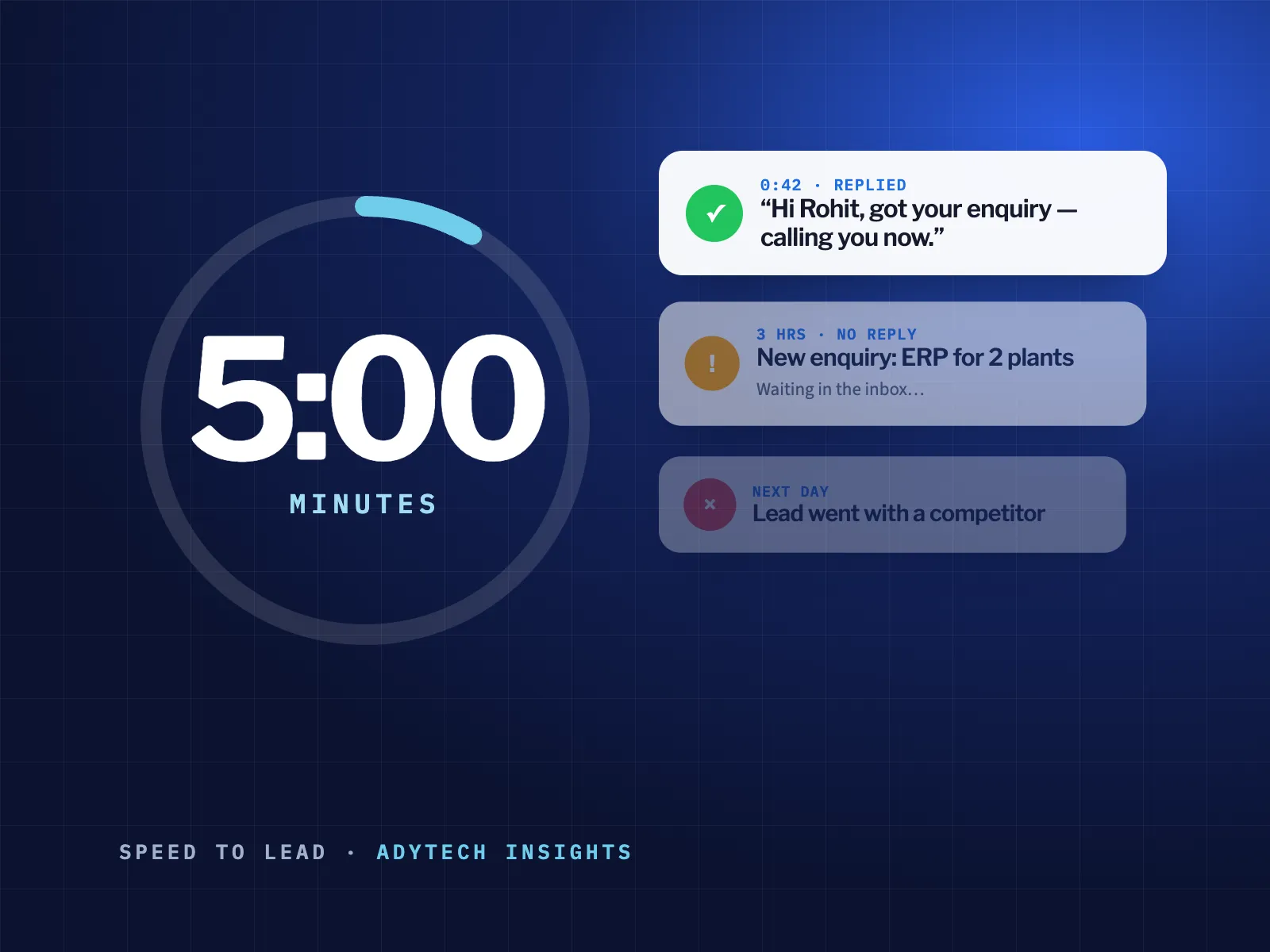
In practice this means: reply fast, and finish the important part of the conversation while the window is open. It's another reason why speed to lead matters so much.
2. Opt-in and templates
To message someone first, they need to have agreed to hear from you on WhatsApp, for example by ticking a box on your form or by messaging you first. And business-initiated messages must use templates that Meta has approved, in categories such as:
- Utility: order updates, appointment reminders, follow-ups on a request the customer made
- Marketing: offers, announcements, newsletters
- Authentication: one-time passwords
Meta charges for template messages by category and country, and the pricing has changed more than once. Check the current rates with your provider before you plan a campaign.
Break these rules, and you risk your number's quality rating dropping, messaging limits being reduced, or the number being blocked. WhatsApp is a channel you earn the right to use. Don't treat it like bulk SMS.
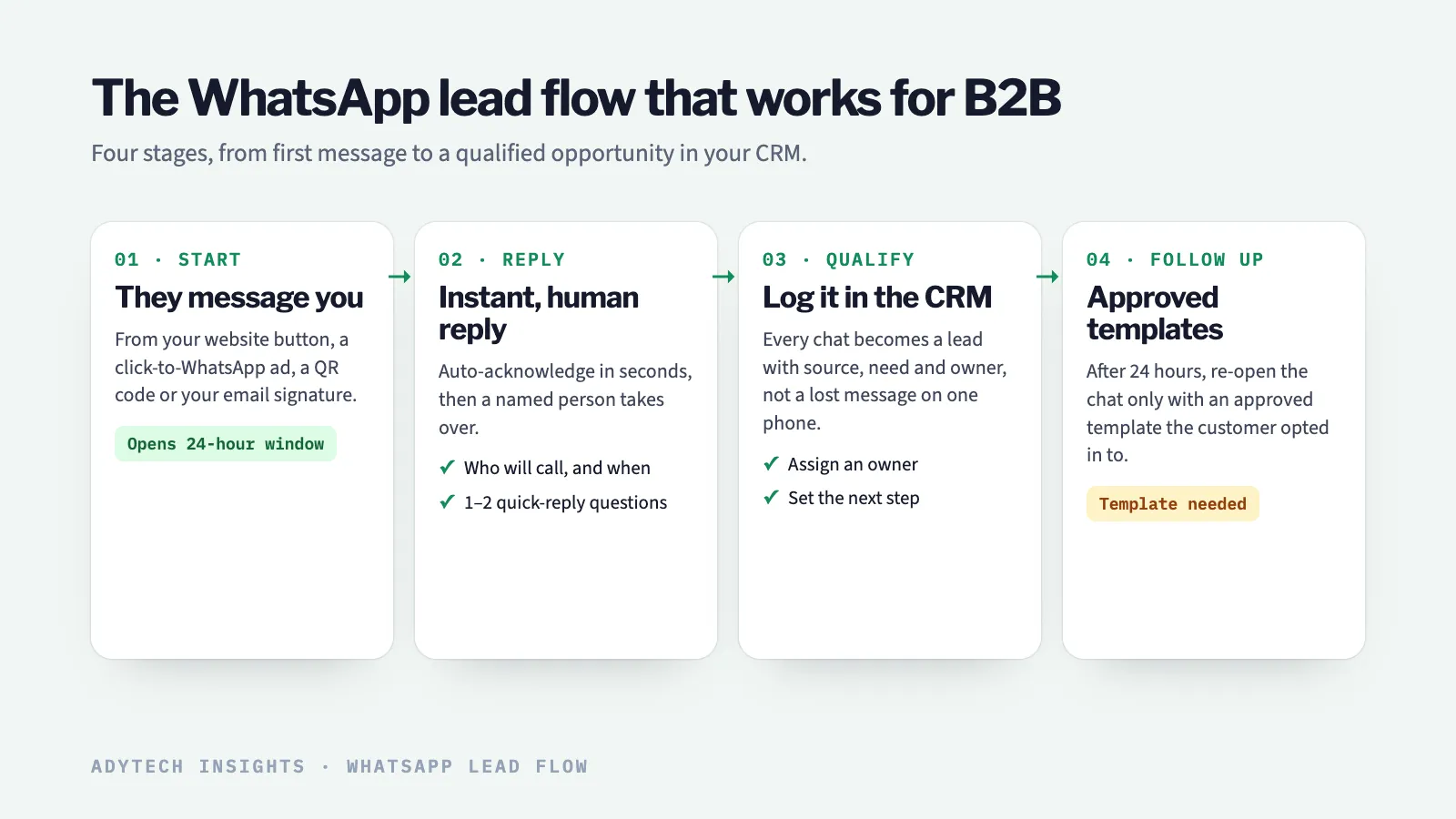
A simple WhatsApp lead flow that works
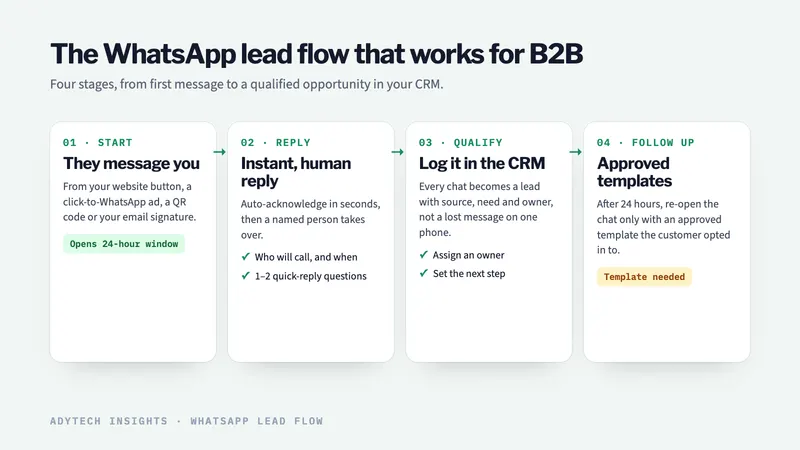
Here's the flow we set up for B2B clients. It works with the free app at small scale and with the API as you grow.
1. Make it easy to start a chat
Put a WhatsApp button where buyers are already deciding: the top of your service pages, your contact page, your landing pages, and next to your phone number. Use a pre-filled message so you know where the chat came from, such as "Hi, I'd like to discuss ERP for our plant."
Other good entry points:
- Click-to-WhatsApp ads on Facebook and Instagram, which open a chat instead of a landing page
- A QR code on brochures, trade-show standees and visiting cards
- A WhatsApp link in your email signature and Google Business Profile
2. Reply instantly, then hand over to a person
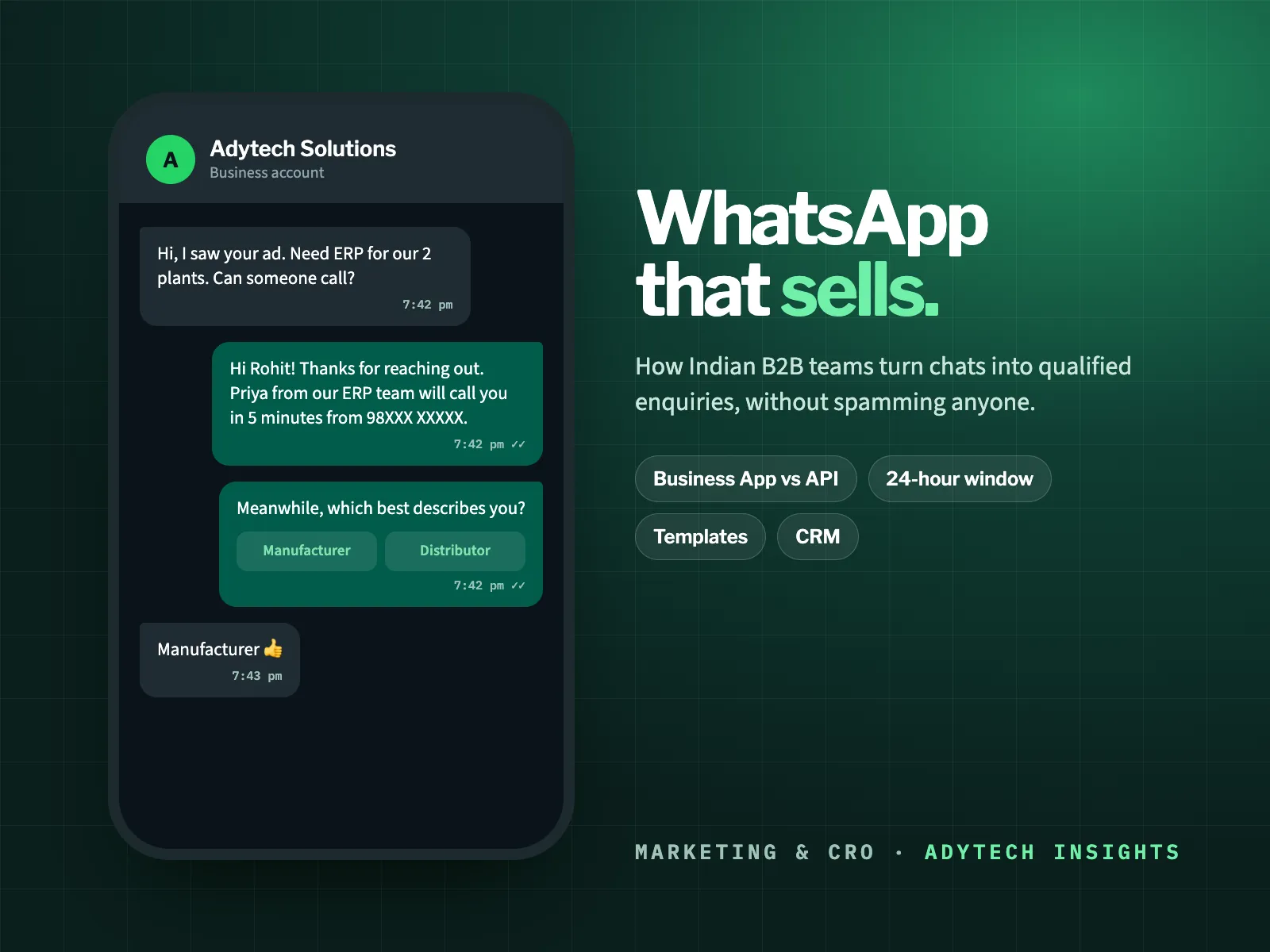
The first reply should arrive in seconds, even at 9 pm. It should:
- Thank them and confirm a real person will respond
- Say who will call and when, including the number, so they pick up
- Ask one or two easy questions, ideally as buttons (for example, "Manufacturer" or "Distributor")
Then a named salesperson takes over. Bots are excellent at acknowledging and sorting. They're poor at building trust in a B2B sale.
3. Log every chat as a lead in your CRM
This is the step most companies skip, and it's where the money leaks. Every WhatsApp enquiry should become a lead record with:
- Name, company and phone number
- Source (website button, ad, QR code)
- What they need
- An owner and a next step with a date
With the API, your provider can push this into your CRM automatically. With the free app, a disciplined habit (or a simple form your team fills in) is the minimum. If you're choosing a system, our guide on CRM vs ERP is a good starting point.
4. Follow up properly, not endlessly
Use the window while it's open: send the brochure, the case study or the meeting link the same day. After that, follow up with an approved utility template that relates to their request, for example "Hi Rohit, sharing the ERP demo slots we discussed: Tuesday 11 am or Thursday 4 pm. Which works?"
Two or three useful follow-ups beat ten "just checking in" messages.
Mistakes we see most often
- Running it all on the owner's personal phone. Leads disappear when they're busy, travelling or asleep, and nobody else can see the history.
- Buying contact lists and broadcasting. It's against WhatsApp's rules, it damages your number's quality rating, and it makes your brand look like spam.
- Bots that never hand over. A buyer asking a specific technical question wants a person, quickly.
- No tracking. If WhatsApp leads aren't tagged by source, you can't tell which ads or pages actually produce business.
- Hiding the WhatsApp button. If it's only in the footer, most mobile visitors never see it. Our free CRO audit checks whether your contact options are visible where they should be.
How to measure whether it's working
Track these every week:
- Chats started, by source (website, ads, QR, organic)
- Median first-reply time during and outside working hours
- Chat-to-qualified-lead rate: how many chats became a real opportunity
- Lead-to-meeting rate for WhatsApp leads compared with form leads
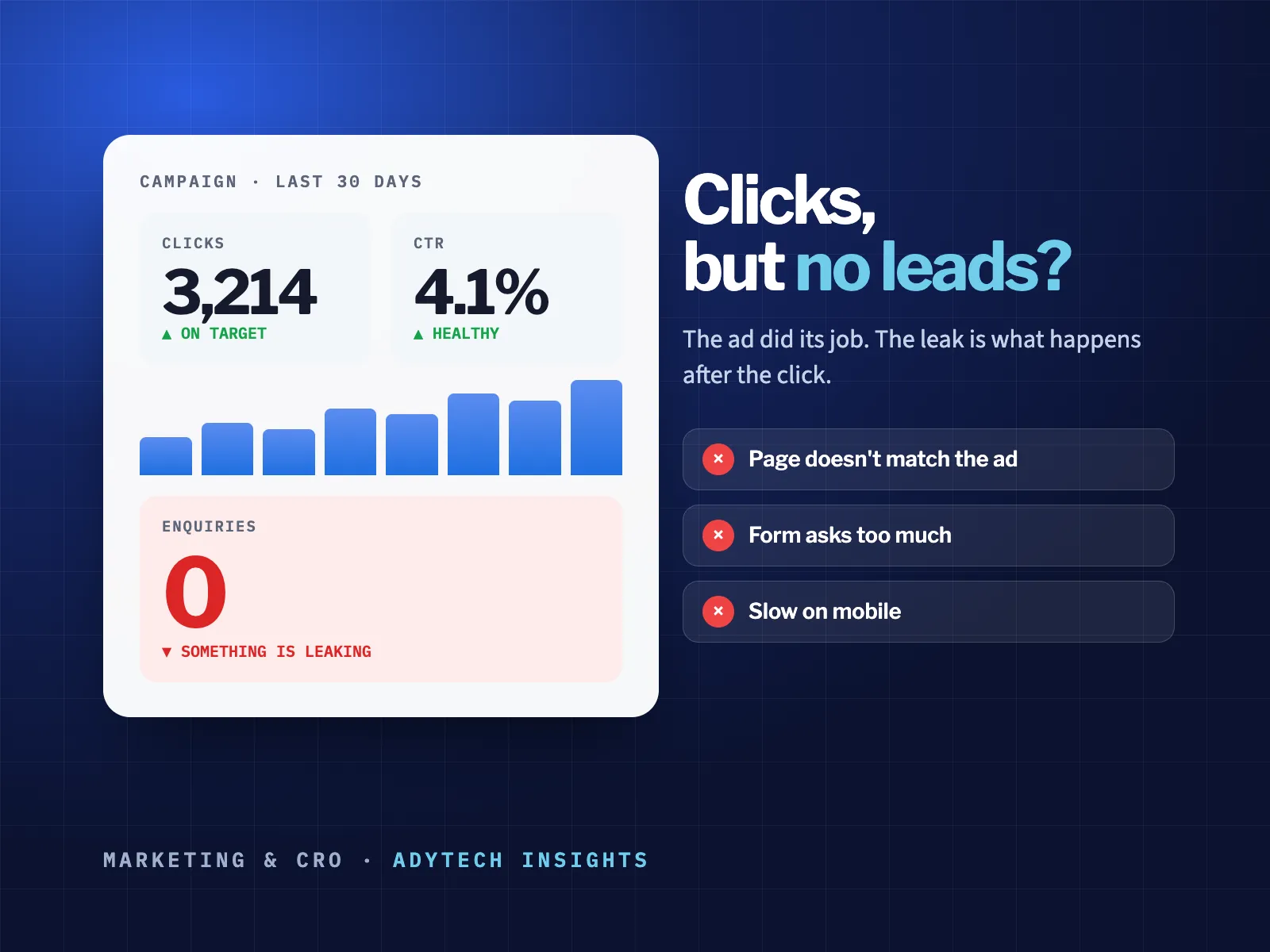
If chats are high but qualified leads are low, look at who your ads and buttons are attracting. If both are low, the problem is usually visibility: people can't find the WhatsApp button, or the page doesn't give them a reason to message. Our guide on why ads get clicks but no leads covers the most common causes.
Frequently asked questions
Is the WhatsApp Business App enough for a B2B company?
It's enough when one or two people handle enquiries and chat volume is modest. Once several team members need to answer chats, you run ads that send people to WhatsApp, or you want chats logged in your CRM automatically, the WhatsApp Business Platform (API) through an official provider is the better choice.
What is the 24-hour window on WhatsApp Business?
When a customer sends you a message, you have 24 hours to reply with normal, free-form messages. After that, you can only restart the conversation with a message template that Meta has approved, and the customer must have opted in to hear from you.
Can I send bulk WhatsApp messages to a purchased list?
No. WhatsApp requires that people opt in before a business messages them first. Messaging purchased lists breaks the rules, lowers your number's quality rating and can get the number restricted or blocked.
How much does the WhatsApp Business API cost in India?
There are two parts: Meta's charges for template messages, which depend on the message category and have changed over time, and your Business Solution Provider's fee for the inbox, automation and integrations. Ask providers for current rates and a clear breakdown before you commit.
Can WhatsApp chats go straight into our CRM?
Yes. With the WhatsApp Business API, most providers can create a lead in your CRM automatically for each new chat, with the source, conversation and assigned owner. With the free app, you'll need a manual process to log chats.
Want WhatsApp to bring you qualified leads, not just chats? Adytech sets up WhatsApp, chat routing, CRM and lead alerts so every enquiry gets a fast, human reply. Run the free CRO audit or book a free consultation.
Cite or embed this article