Getting Clicks but No Leads? 10 Reasons Your Ads Aren't Turning Into Enquiries
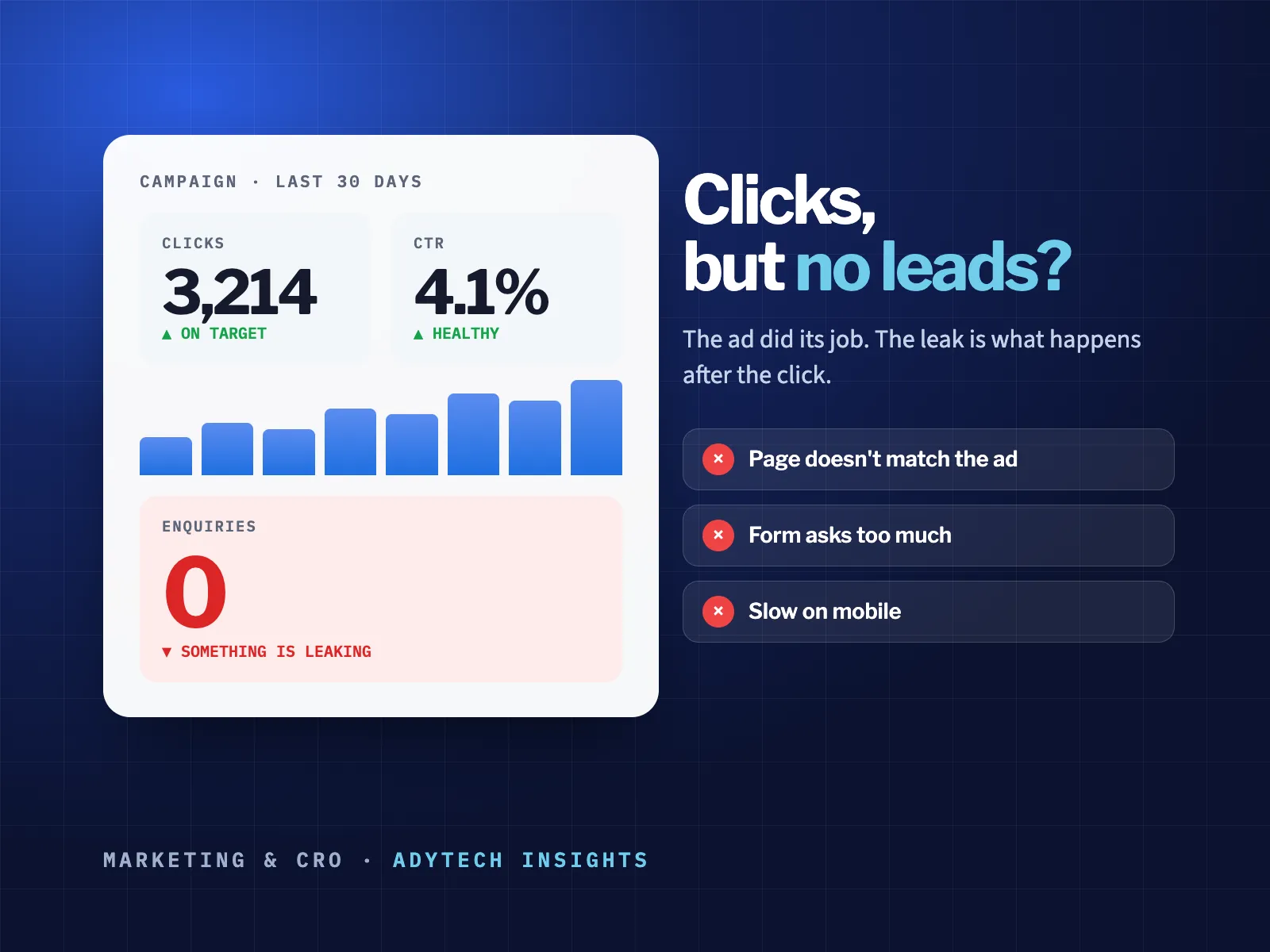
The dashboard says the campaign is healthy. Clicks are up, cost per click is fine. And the phone isn't ringing. Here is how to find where those visitors are leaking, in the order we check it.
It's one of the most common conversations we have with business owners. The ad agency's report looks good. Clicks are up, the click-through rate is healthy, the cost per click is within budget. And yet, at the end of the month, the sales team says the same thing: "We're not getting any enquiries from the ads."
Usually, both sides are right. The ads are doing their job, which is to bring people to the website. What breaks is everything that happens after the click.
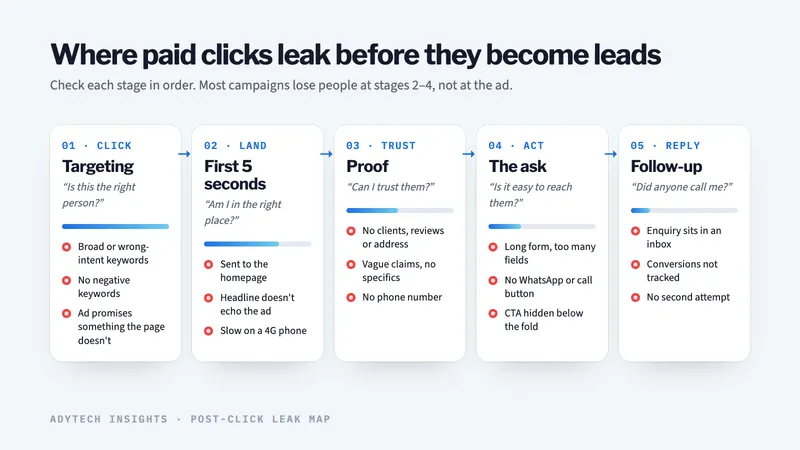
This guide walks through the ten leaks we find most often when we audit Google Ads and Meta (Facebook and Instagram) campaigns that get traffic but no leads, in the order we check them. You don't need to be a marketer to follow it. You need your website open on your phone and about thirty minutes.
First, a quick sanity check: is it really zero?
Before changing anything, confirm the problem is real. Three questions:
- Are conversions being tracked at all? Open Google Ads or Meta Ads Manager and look at the "Conversions" or "Results" column. If it says zero, check that the tracking tag actually fires when someone submits a form. Broken tracking is surprisingly common, especially after a website redesign.
- Where do enquiries actually arrive? Form submissions might go to an old email address, a spam folder, or a CRM nobody opens. Fill in your own form and see where it lands.
- Are people calling or WhatsApping instead? Many Indian buyers skip the form completely. If your sales team takes calls from "someone who saw the ad", those are ad leads — they just aren't counted.
If the leads genuinely aren't arriving, read on.
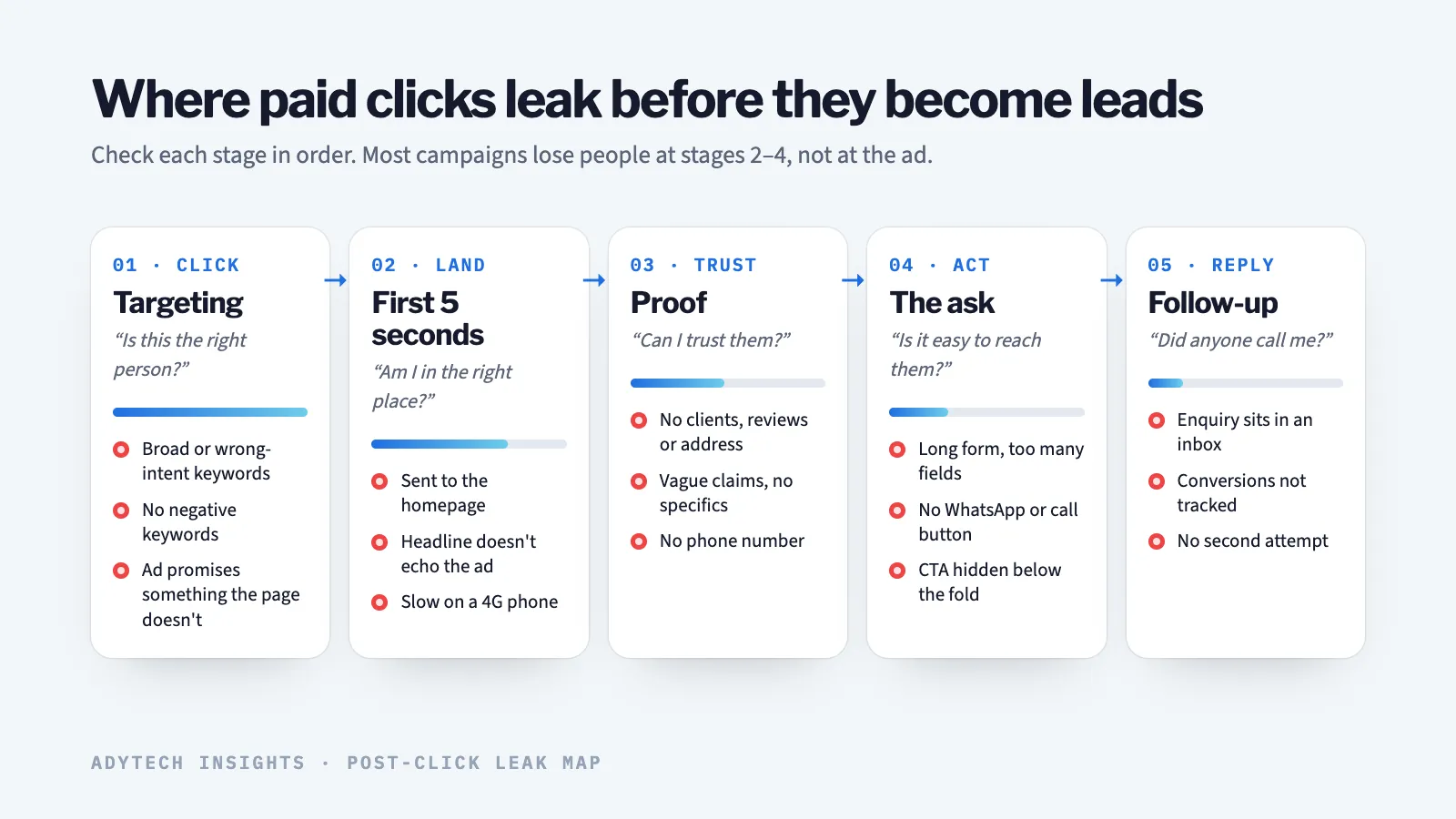
1. You're sending ad traffic to your homepage
This is the single most common leak. Someone searched for "ERP software for manufacturing" or tapped an ad about a free audit, and they land on a homepage that talks about everything the company does.
A homepage is built for people who already know you. An ad click is from someone who doesn't, and who wants exactly one thing: the thing the ad promised.
Fix: send every ad, or at least every ad group, to a dedicated landing page about that one offer. One page, one promise, one action.
2. The page doesn't match the ad
Even with a dedicated page, the message often drifts. The ad says "Free ERP demo in 48 hours", and the page headline says "Empowering businesses through innovative digital solutions."
The visitor has about five seconds to confirm they're in the right place. If the words they clicked on aren't visible straight away, many of them leave.
Fix: repeat the ad's promise in the page headline, in nearly the same words. If the ad mentions a city, a price range, an industry or an offer, the page should too.
3. The page is slow on a phone
Most paid social traffic, and a large share of search traffic in India, is on mobile — often on a patchy 4G connection. A page that feels fine on office Wi-Fi can take several seconds to show anything useful on a phone. Google's own guidance is clear that people abandon slow mobile pages, and you pay for every one of those clicks.
Fix: test the landing page on PageSpeed Insights in mobile mode. Compress heavy images, remove sliders and pop-ups that load first, and cut third-party scripts you don't need. Our Core Web Vitals guide covers the details.
4. Visitors can't tell what you do, for whom, in five seconds
Look at the top of your landing page on a phone, without scrolling. Can a stranger answer these three questions?
- What is this?
- Is it for someone like me?
- What should I do next?
If the answer needs scrolling, or a paragraph of reading, you're losing people at the door.
Fix: a clear headline (the outcome), a one-line sub-headline (who it's for and how), and one visible button. Save the company history for further down.
5. The form asks for too much
Every extra field is a small reason to stop. Company size, designation, annual turnover, budget, "how did you hear about us" — each one feels reasonable to the sales team and like homework to the visitor.
Fix: ask for the minimum you need to start a conversation. For most B2B enquiries that's a name, a phone number or email, and one line about the need. Everything else can be asked on the first call. If you must qualify, make the extra fields optional.
6. There's no fast way to talk to a person
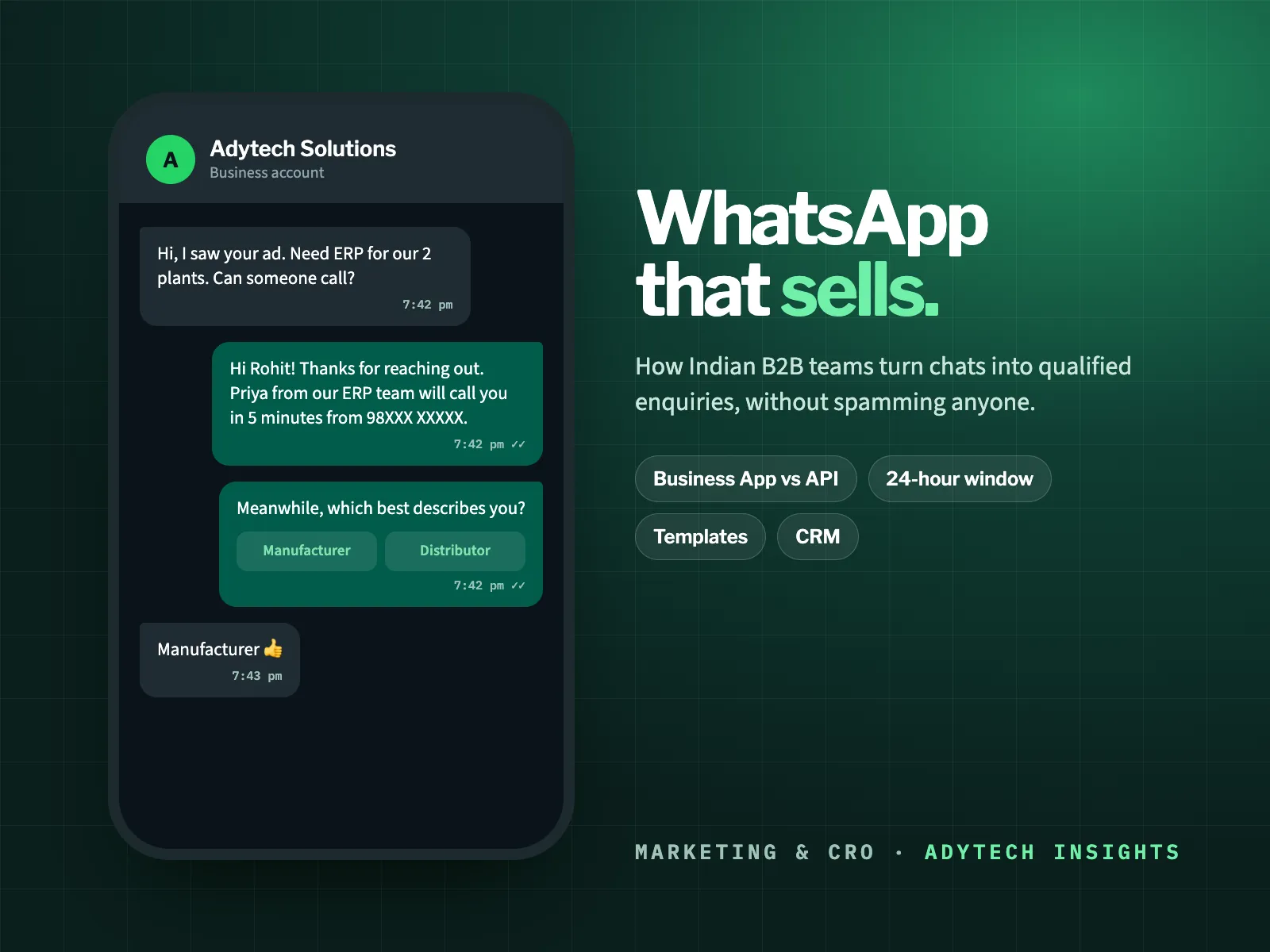
Many Indian buyers would rather call or send a WhatsApp message than fill in a form, particularly on mobile. If the only option is a form at the bottom of the page, you're turning away the people who are most ready to talk.
Fix: add a tap-to-call link and a WhatsApp button near the top of the page and again near the form. Track taps on both as conversions, so the ad platforms learn which clicks lead to real conversations.
7. There's nothing that builds trust
A first-time visitor from an ad has never heard of you. Before they hand over their phone number, they want small signals that you're real and reliable:
- Client names or logos you have permission to show
- Short, specific testimonials (a name, a company, a result)
- A physical address and a working phone number
- Clear information about what happens after they enquire
Fix: put two or three of these close to the form, not on a separate "About" page they'll never visit.
8. The offer isn't worth the effort
"Contact us" is not an offer. Neither is "Get a quote" when the visitor doesn't yet know if you're right for them. People respond to a clear, low-risk next step that gives them something useful.
Fix: offer something concrete — a free audit, a 20-minute consultation with a named expert, a demo with their own data, a checklist or a price guide. Then make it obvious what they get and how long it takes.
9. Targeting is bringing the wrong people
Sometimes the page is fine and the traffic is wrong. On Google, broad match keywords without negatives can pull in students, job seekers and people looking for free tools. On Meta, very broad audiences can bring cheap clicks from people with no buying intent.
Fix: check the search terms report in Google Ads every week and add negative keywords (jobs, free, course, salary, download, and so on). On Meta, optimise campaigns for leads or conversions, not link clicks — and only once tracking is reliable.
10. Enquiries arrive, but nobody replies in time
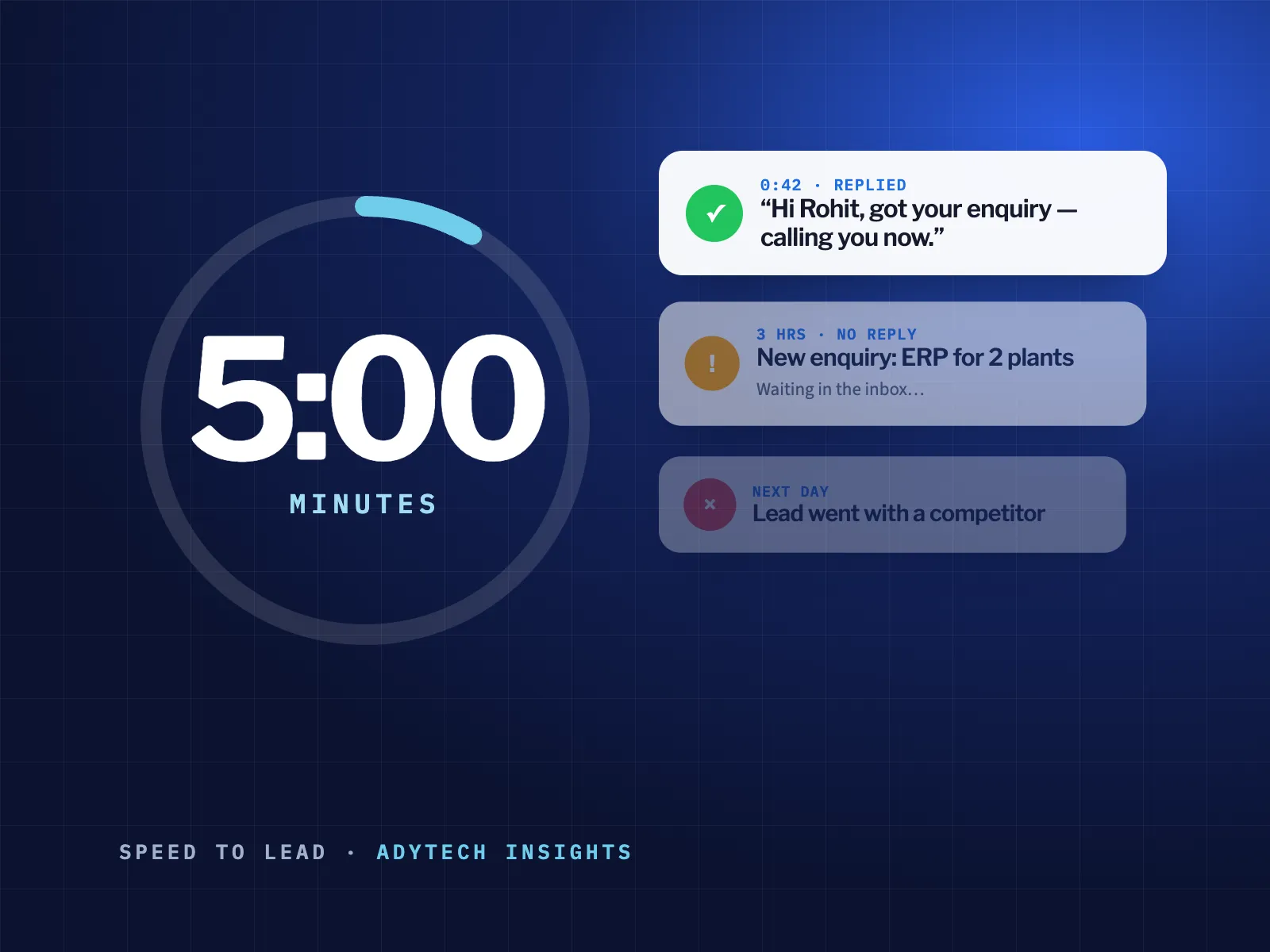
The last leak happens after the lead has already converted. The form is submitted, the email lands in a shared inbox, and the first reply goes out the next morning. By then the buyer has spoken to someone else.
Fix: send instant alerts to the phone of whoever owns the lead, acknowledge every enquiry automatically, and aim for a human call within minutes. We wrote a full playbook on this: Speed to Lead: why the first 5 minutes decide whether an enquiry becomes a customer.
A 30-minute diagnostic you can do today
Grab your phone and go through this list. Mark each one yes or no.
| Check | What "good" looks like |
|---|---|
| Ad lands on a dedicated page | Not the homepage |
| Headline repeats the ad's promise | Same words, visible without scrolling |
| Page shows content quickly on 4G | No long blank screen or loading slider |
| One clear call to action | One main button, repeated down the page |
| Form is short | 3–4 fields, extras optional |
| Call and WhatsApp buttons | Visible and tappable on mobile |
| Trust signals near the form | Clients, testimonials, address |
| Conversions tracked | A test submission shows up in Ads |
| Lead alerts go to a phone | Someone sees it within minutes |
| Search terms reviewed weekly | Negative keywords added |
If you have three or more no answers, fix the page before you increase the ad budget. More spend on a leaky page only means paying for more leaks.
Fix the page first, then scale the ads
It's tempting to judge a campaign by the ad metrics because they're easy to see. But clicks are a cost, not a result. The money is made or lost on the landing page and in the follow-up. That is the whole idea behind conversion rate optimisation: getting more enquiries from the traffic you already pay for.
To see where your own page is leaking, run it through our free CRO audit. It checks your landing page for the issues above — headline clarity, calls to action, forms, trust signals, mobile experience and tracking — in about ten seconds, and tells you what to fix first.
Frequently asked questions
Why are my Google Ads getting clicks but no conversions?
The most common causes are sending traffic to the homepage instead of a dedicated landing page, a page that doesn't match the ad's promise, slow mobile loading, long forms, and broken conversion tracking. Check tracking first, then work through the landing page from top to bottom on a phone.
Why are my Facebook or Instagram ads getting clicks but no leads?
Meta campaigns optimised for link clicks or traffic tend to find people who click but rarely convert. Switch the campaign objective to leads or conversions once your tracking works, and make sure the landing page loads fast on mobile, because nearly all of that traffic is on phones.
How do I know if the problem is the ad or the landing page?
If the click-through rate is healthy but very few visitors submit an enquiry, the problem is almost always after the click: the page, the form, the offer or the follow-up. If the click-through rate itself is low, the ad copy or the targeting needs work first.
How many form fields should a lead form have?
As few as you can manage. For most B2B enquiries, a name, a phone number or email, and a short message are enough to start a conversation. Ask qualifying questions on the first call instead, or make extra fields optional.
Should I increase my ad budget if I'm not getting leads?
No. Fix tracking and the landing page first. Increasing spend on a page that doesn't convert simply buys more visitors who leave. Once the page converts reliably, scale the budget in small steps while the cost per lead holds.
Getting traffic but not enquiries? Adytech audits the full journey from ad to first call — landing page, forms, tracking, CRM and follow-up — and fixes the leaks. Run the free CRO audit or book a free consultation.
Cite or embed this article